
Adding Four A Records or Redirecting to WWW
An optional step would be to add four A records. This way, you will link both www and non-www address versions of your website, loading it from both URLs.
If you skip this step, visitors who leave out the “www” part of the domain will see an error page or a different site, depending on your current A record.
To avoid that, create A records for these IP addresses:
- 216.239.32.21
- 216.239.34.21
- 216.239.36.21
- 216.239.38.21

After adding the A records, it may take up to 24 hours to fully propagate. Then, both the www.domain.tld and domain.tld URLs will lead users to your blog.
Alternatively, it’s possible to redirect visitors from the non-www to the www version of your blog. That way, setting the A records will not be required.
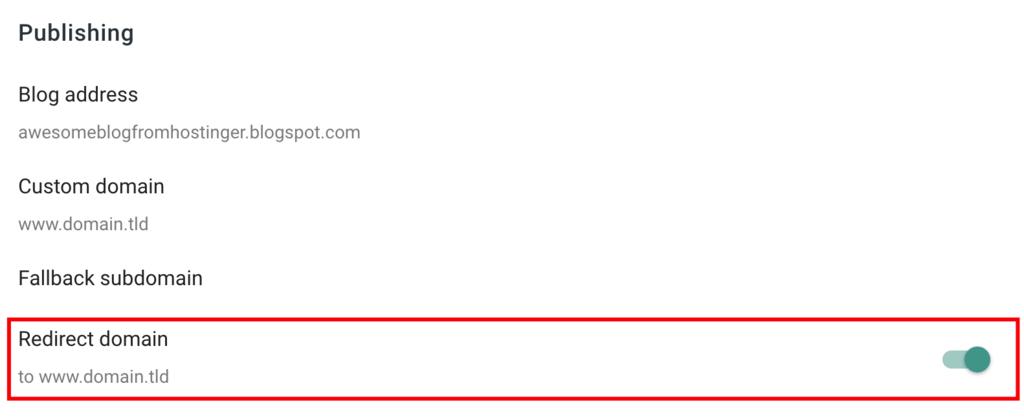
You can create redirects after configuring your custom domain settings. Open the Settings section and activate the toggle on Redirect domain.
Conclusion
Blogger is a free blog hosting service that includes a free subdomain. However, since the Google-provided URL is lengthy and can be hard to remember, it’s a great idea to use your own new domain.
In this tutorial, we have explained the benefits of using a custom domain for Blogger. We have also explored the process of correctly pointing your domain via CNAME records and A records.


No comments:
Post a Comment